
Tepte.com


Imagine walking into your home after a long day, and the lights dim softly to greet you while the thermostat adjusts to your perfect temperature. Add in security cameras that alert your phone to any unusual activity, and you've got a connected home that works for you. Smart home electronics like automated lighting, programmable thermostats, and surveillance systems make this a reality. This guide walks you through integrating these devices for seamless control, focusing on compatibility with hubs, app management, and keeping everything secure.
Bringing together smart lights, thermostats, and security systems creates more than convenience—it's about efficiency and peace of mind. For starters, linked devices let you automate routines. Your lights can turn off when the thermostat senses you're away, or security cameras can trigger lights at night for better visibility.
Energy savings come naturally too. Smart thermostats learn your habits and optimize heating or cooling, while integrated lights use motion sensors to avoid wasting power. Security ties it all in by monitoring entry points and syncing with lights to deter intruders. According to real-world users, households with these setups report up to 20% lower energy bills, though results vary based on usage.
Start with devices that play well together. Popular smart lights include Philips Hue bulbs, which offer millions of colors and work with most hubs. For thermostats, Nest Learning Thermostat stands out for its auto-scheduling, while Ecobee adds built-in room sensors. Security-wise, Ring cameras provide clear video and easy doorbell integration, and Arlo offers wire-free options with long battery life.
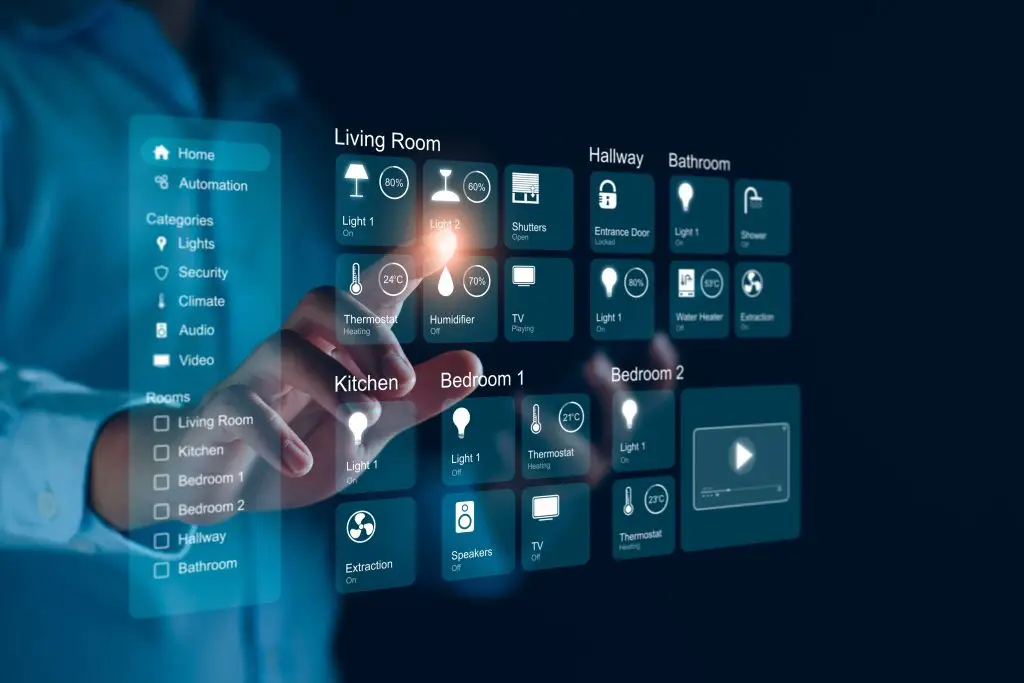
Look for Matter certification on new devices—it's a standard that ensures broader compatibility across brands like Google, Apple, and Amazon ecosystems.
Before purchasing, verify hub support. Most devices list compatible platforms on their boxes or websites. A quick app download during shopping can confirm pairing options.
A hub acts as the brain, connecting your smart lights, thermostats, and security systems. Amazon Echo hubs like the Echo Show integrate Alexa voice control. Google Nest Hub offers a screen for live camera feeds. Apple HomePod works best in HomeKit ecosystems, and Samsung SmartThings provides flexibility for mixed brands.
Pick based on your phone: iPhone users lean toward HomeKit, Android folks toward Google. Many hubs now support Alexa, Google Assistant, and Siri simultaneously for voice flexibility.
| Hub | Compatible Lights | Compatible Thermostats | Compatible Security Cameras |
|---|---|---|---|
| Amazon Echo | Philips Hue, TP-Link Kasa | Nest, Ecobee | Ring, Blink |
| Google Nest Hub | Philips Hue, Nanoleaf | Nest, Honeywell | Nest Cam, Arlo |
| Apple HomeKit | Philips Hue, Nanoleaf | Ecobee, Honeywell | Eve Cam, Logitech Circle |
| Samsung SmartThings | Philips Hue, Sengled | Ecobee, Nest | Arlo, Ring |
This table highlights reliable pairings. Always check manufacturer sites for the latest firmware updates, as support evolves.
For multi-room setups, group lights in the app. Integrate with motion sensors for hands-free operation.
Smart thermostats shine when linked to your hub. After setup, they pull data from security systems to detect occupancy. Set geofencing so the thermostat switches to away mode when your phone leaves a radius.
Link it to lights for routines: Lights off at bedtime cues the thermostat to lower the temperature overnight. Apps like Nest let you tweak schedules remotely, ensuring comfort without excess energy use.
Security systems like cameras and doorbells integrate via the hub's app. Mount cameras at key spots—front door, garage, backyard. Most offer two-way audio and night vision.
Sync with lights: Motion from a camera turns on porch lights. Alerts go to your phone, and hubs display live feeds. For advanced setups, add smart locks that unlock only after facial recognition confirms it's you.
"I rushed into integrating a budget camera with my existing Hue lights and Nest thermostat, skipping the firmware check. Two weeks in, false motion alerts flooded my phone at night because of poor Wi-Fi compatibility. Lesson learned: Test each device individually first, and prioritize strong mesh Wi-Fi coverage." – Homeowner Sarah T., after a rocky smart home upgrade.
Apps are your command center. Philips Hue app handles lights with color wheels and timers. Nest app dashboards show thermostat status alongside camera clips. Multi-hub apps like SmartThings unify controls.
Voice adds ease: Say "Hey Google, good night" to dim lights, set thermostat to sleep mode, and arm security. Customize shortcuts for quick access.
With great connectivity comes responsibility. Secure your network with a strong, unique Wi-Fi password and WPA3 encryption. Enable two-factor authentication on all device apps.
Review privacy settings: Turn off cloud storage for cameras if you prefer local saves via a hub like HomeBase. Use guest networks for visitors to isolate smart devices.
For security systems, position cameras to avoid overlooking neighbors. Check for end-to-end encryption on video feeds. Regularly change default logins—hackers target those.
Don't overload your Wi-Fi; mesh systems like Eero expand coverage for reliable smart home electronics. Monitor data usage, as constant camera streaming adds up. Finally, unplug during power outages to prevent surges—surge protectors with USB ports help hubs stay safe.
If lights won't sync with the thermostat, restart the hub and devices. Check Zigbee or Z-Wave frequencies—some hubs use both. App glitches? Clear cache or reinstall.
For security cameras dropping feeds, improve Wi-Fi signal with extenders. Test automations weekly to catch drifts in routines.
Invest in expandable systems. Start small—say, lights and thermostat—then add security. Thread protocol in newer devices promises faster, more reliable meshes.
Budget around $200-500 for basics: hub, a few bulbs, thermostat, and one camera. Prices drop yearly, so watch sales.
Integrating smart lights, thermostats, and security systems transforms daily life into something effortless and secure. With the right hub and a bit of setup, your home anticipates your needs. Dive in, start simple, and enjoy the connected comfort.
Published: Friday, January 30, 2026 Viewed 4 times.
tepte.com: Your Questions and Answers Resource with a Wealth of General Knowledge
Are you seeking a one-stop destination for comprehensive knowledge and answers to your burning questions? Look no further than tepte.com! Our platform is your go-to source for a wide range of information, all conveniently presented in an easily accessible question and answer format.
At tepte.com, we pride ourselves on being your reliable knowledge hub. Whether you're curious about technology, science, history, or any other subject under the sun, our extensive General Knowledge (GK) knowledge base has you covered. We've made it our mission to provide you with in-depth insights and facts on an array of topics. Read more
