
Tepte.com



Your smartphone holds a ton of personal info, from banking apps to family photos. That's why keeping it safe from viruses and malware is a big deal. Every day, new threats pop up, disguised as harmless updates or fun games. But don't worry—with some smart habits, you can protect your phone from malware and stay one step ahead of scammers.
In this guide, we'll walk through practical steps to shield your device. Whether you're on Android or iOS, these tips apply. You'll learn how to spot risks, block malicious apps, and handle scams before they hit. Let's dive in and make your phone a fortress.
Phones are everywhere, which makes them juicy targets. Cybercriminals love them because they're always connected and packed with data. Malware can steal your contacts, track your location, or even lock your screen for ransom. Last year alone, millions of users dealt with infected apps from shady sources.
Malware spreads fast through downloads, texts, or public Wi-Fi. But the good news? Most attacks are preventable if you know what to watch for. Start by understanding the basics, and you'll cut your risk dramatically.
Updates aren't just about new features—they're your first line of defense. Developers release patches to fix security holes that hackers exploit. Skipping them leaves your phone wide open.
Check for updates weekly. On Android, head to Settings > System > System Update. For iPhone, it's Settings > General > Software Update. Enable auto-updates if possible, so you never miss one. This simple step blocks tons of known viruses.
Don't forget apps too. Outdated ones like social media or browsers can be entry points for malware. Use your app store's auto-update feature to stay current.
Not all phones come with built-in protection that catches everything. A good antivirus scans for threats in real-time and flags suspicious behavior. Look for ones with high ratings and proven track records.
Free options work for basics, but paid versions offer extras like VPNs and theft protection. Test a few to see what fits your needs. Run full scans monthly, or anytime you suspect trouble.
| Antivirus App | Key Features | Best For | Price |
|---|---|---|---|
| Avira | Real-time scanning, VPN, app lock | Android users on a budget | Free / $30/year premium |
| Bitdefender Mobile | Web protection, anti-theft, malware scanner | All-around security | $15/year |
| Avast One | Photo vault, Wi-Fi security, junk cleaner | iOS and Android | Free / $50/year premium |
| Norton 360 | Dark web monitoring, unlimited VPN | Heavy users with privacy needs | $50/year |
This table compares popular choices. Pick based on your phone type and habits—there's no one-size-fits-all.
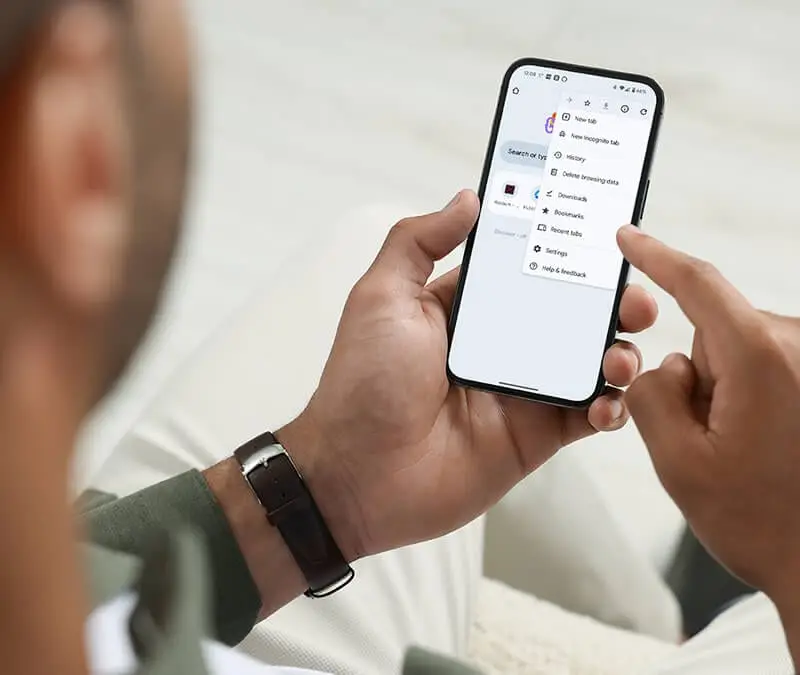
App stores like Google Play and Apple App Store vet apps, but they're not perfect. Still, they're safer than sideloading from random websites. Malicious apps often mimic legit ones, promising free stuff or boosts.
Before hitting install, read reviews—especially recent ones. Check permissions too. Does a flashlight app need access to your contacts? That's a red flag. Stick to top developers with millions of downloads.
Follow this checklist every time, and you'll dodge most malicious apps.
Scammers love texts and emails pretending to be from banks or delivery services. They trick you into clicking links that install malware. "Your account is suspended—click here" is a classic ploy.
Never tap links in unsolicited messages. Instead, go directly to the official site or app. Use your phone's built-in tools: Android's Google Play Protect and iOS's automatic warnings help spot fakes.
Enable two-factor authentication everywhere. It adds a code sent to your phone, blocking unauthorized access even if they snag your password.
"I clicked a link in a text about a package delivery, thinking it was legit. Next thing I knew, my banking app was drained, and pop-ups everywhere. Lost $500 before I caught it. Always verify first—it's not worth the risk." — Real user story from a tech forum.
Stories like this happen daily. A quick pause before clicking saves headaches.
Public Wi-Fi at cafes or airports is a hacker playground. They can intercept data or push malware. Always use a VPN on open networks—it encrypts your traffic.
At home, change default router passwords and enable WPA3 encryption. Avoid connecting to unknown hotspots. Turn off auto-join for Wi-Fi to prevent sneaky connections.
For mobile data, watch your plan—some malware ramps up usage to rack up bills. Monitor data in settings and set limits.
Not sure if your phone has a virus? Look for clues like sudden battery drain, slow performance, or unknown apps. Ads popping up outside browsers? That's spyware at work.
Other red flags: overheating, high data use, or crashes. If you see these, boot in safe mode (hold power button and select) to check for culprits. Uninstall suspects, then scan with antivirus.
Apps ask for access to camera, location, microphone—review them regularly. Go to Settings > Apps > Permissions on Android, or Settings > Privacy on iOS.
Revoke anything unnecessary. A weather app doesn't need your contacts. Limit location to "while using" instead of always. This starves malware of data.
Review third-party app access in your Google or Apple account too. Remove old ones you forgot about.
Even with precautions, stuff happens. Backups let you wipe your phone clean if infected, without losing everything.
Use cloud services like Google Drive or iCloud. Enable auto-backup for photos, contacts, and apps. Test restores occasionally to ensure they work. External drives are great for offline copies.
For extra safety, encrypt backups. That way, if your cloud gets hacked, data stays protected.
A simple PIN isn't enough anymore. Set up fingerprint or face ID, and add a complex passcode. Enable remote wipe via Find My Device (Android) or Find My iPhone.
If lost or stolen, malware spreads easier from unlocked phones. These features let you lock or erase remotely.
Tempted by custom tweaks? Think twice. Jailbreaking iOS or rooting Android bypasses security, inviting viruses. Stick to stock setups for safety.
Many "mods" come bundled with malware. The power isn't worth the constant worry.
Tech evolves, so should your habits. Follow reliable sources like Krebs on Security or your phone maker's blog. Join communities for tips from other users.
Educate family too—kids clicking random links can infect shared networks. Make security a team effort.
Wrapping up, protecting your phone from viruses boils down to vigilance. Update often, choose wisely, and stay skeptical of surprises. Implement these tips, and you'll enjoy peace of mind. Your data—and sanity—will thank you.
Published: Monday, January 19, 2026 Viewed 6 times.
tepte.com: Your Questions and Answers Resource with a Wealth of General Knowledge
Are you seeking a one-stop destination for comprehensive knowledge and answers to your burning questions? Look no further than tepte.com! Our platform is your go-to source for a wide range of information, all conveniently presented in an easily accessible question and answer format.
At tepte.com, we pride ourselves on being your reliable knowledge hub. Whether you're curious about technology, science, history, or any other subject under the sun, our extensive General Knowledge (GK) knowledge base has you covered. We've made it our mission to provide you with in-depth insights and facts on an array of topics. Read more
