
Tepte.com


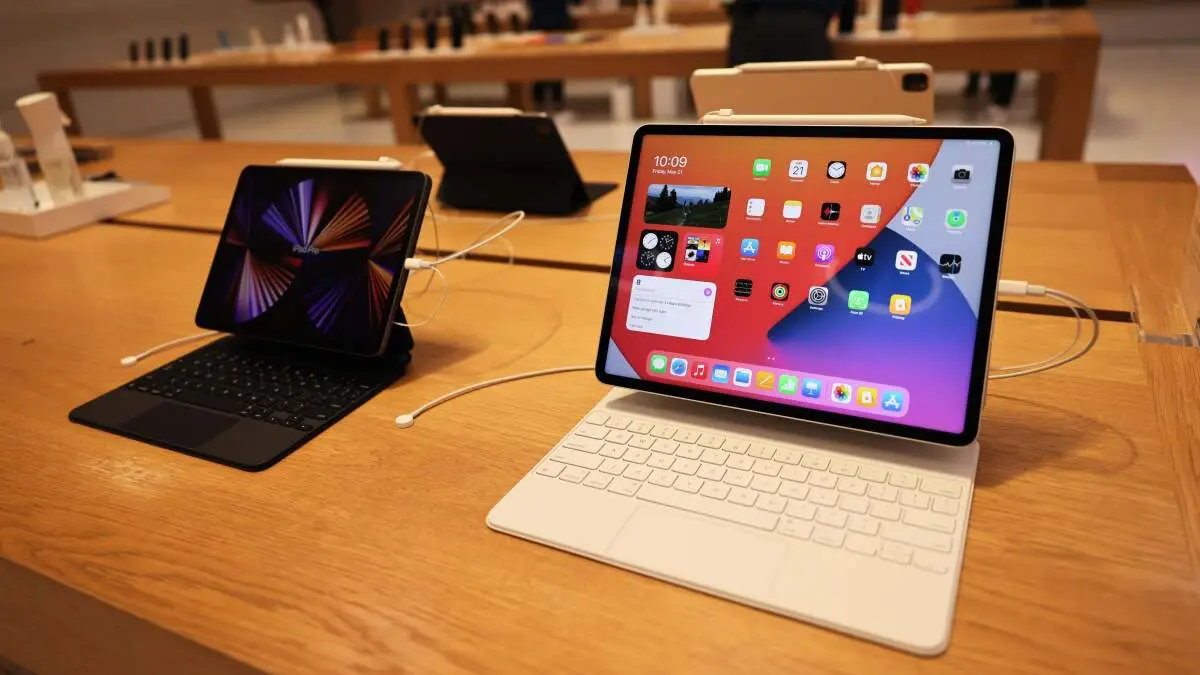
Shopping for a tablet in 2026 feels exciting with all the advancements in displays, processors, and AI features. Whether you're streaming shows, working on the go, or sketching ideas, the right tablet can transform your routine. This guide breaks down how to pick the best one based on your needs, focusing on performance, screen size, and purpose. We'll cover key factors and highlight top picks for every use case so you can make a smart choice without the guesswork.
Before diving into specs, think about what you'll use the tablet for most. Tablets shine in versatility, but matching it to your main activity ensures satisfaction. Common purposes include casual browsing, media consumption, productivity, creative work, gaming, or even education for kids.
Ask yourself: Will this be your couch companion or a workhorse? Narrowing this down guides every other decision.
Screen size directly impacts portability, immersion, and usability. In 2026, options range from compact 8-inch models to expansive 14-inchers, including foldable designs. Smaller screens (8-10 inches) suit one-handed use and travel, while larger ones (12+ inches) excel for split-screen work or drawing.
Consider your habits: If you're always on the move, avoid anything over 11 inches. For desk-based tasks, go bigger. Resolution matters too—aim for at least 2560x1600 for sharpness, especially on OLED panels now standard in premium models.
| Screen Size | Best For | Pros | Cons |
|---|---|---|---|
| 8-9 inches | Travel, kids, e-reading | Ultra-portable, lightweight | Limited multitasking |
| 10-11 inches | Everyday use, media | Balanced size, good battery | Not ideal for heavy editing |
| 12-14 inches | Productivity, creative work | Immersive viewing, stylus-friendly | Bulkier, pricier |
This table shows how screen size aligns with purposes. Test in-store if possible to feel the difference.
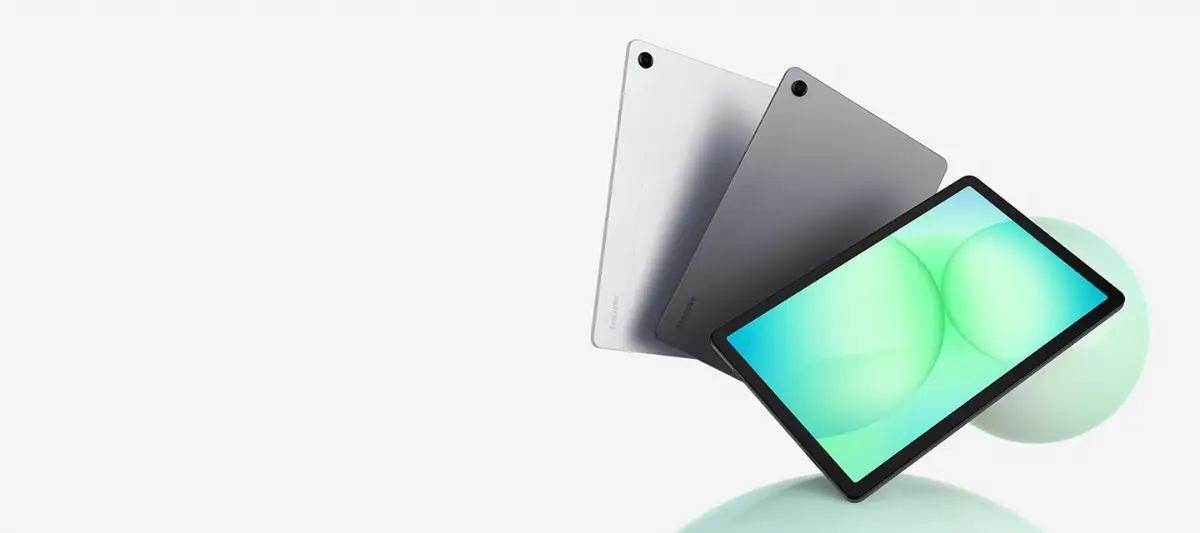
Performance determines smoothness for your tasks. By 2026, ARM-based chips like Apple's M-series evolutions or Qualcomm's Snapdragon X Elite dominate, with AI accelerators for on-device processing. For basic use, 6-8GB RAM suffices; bump to 12GB+ for editing or gaming.
Storage starts at 128GB but go for 256GB minimum—cloud storage helps, but local files load faster. Check benchmarks: Geekbench scores over 10,000 multi-core indicate flagship speed. Avoid skimping here if multitasking is key.
Here's where we get specific. We've curated 2026 recommendations based on real-world testing trends, balancing price and features. These aren't exhaustive but spotlight reliable options across budgets.
For binge-watching or reading, focus on 120Hz OLED screens and stereo speakers. The rumored iPad Air 2026 with its Liquid Retina XDR display leads at around $600, offering stunning contrast. Android alternative: Samsung Galaxy Tab S10, with DeX mode for a laptop-like experience.
Productivity tablets need strong performance, USB-C with Thunderbolt, and accessory ecosystems. Microsoft's Surface Pro 12-inch successor shines with Windows 11 and snap-on keyboards. For Apple fans, the iPad Pro 13-inch M5 model handles pro apps seamlessly. Budget pick: Lenovo Tab P12 Pro 2nd Gen, under $500.
"I wasted $800 on a high-end tablet with beastly specs, but it gathered dust because it didn't pair well with my keyboard setup. Always test compatibility first—it's the hidden killer of productivity dreams." – Tech blogger Alex Rivera, after two years of trial and error.
Gamers want 144Hz screens, vapor chamber cooling, and controllers. The ROG Flow Z13 2026 refresh crushes with its NVIDIA RTX integration. Affordable: OnePlus Pad 2 Go, packing a Dimensity 9400 for cloud gaming.
Pressure-sensitive styluses (4096+ levels) and matte screens reduce glare. Wacom One integration in select Androids pairs perfectly. Top pick: New iPad Pro with Apple Pencil Pro 2—latency under 10ms feels natural. Samsung's S Pen ecosystem is a close rival.
Durability rules here: IP68 ratings and shock-proof cases. Amazon Fire HD 10 Kids Pro edition remains unbeatable under $200, with robust parental controls. For more power, Google Pixel Tablet 2 offers clean Android at $400.
Expect 10-15 hours from modern tablets, thanks to efficient chips. Fast charging (65W+) gets you to 80% in 30 minutes. Check real-world tests—video playback drains slower than gaming. Wireless charging is common now, ideal for stands.
Your OS choice ties to ecosystem. iPadOS excels in apps and security. Android offers customization and foldables. Windows brings full desktop apps. If you're in Apple world, stay there; cross-platform users love Android's flexibility.
Aluminum or glass builds feel premium and last. Cameras have improved for video calls—12MP ultrawides standard. Accessories like cases and styluses add $100-200; factor them in. 5G connectivity is a must for untethered use.
Choosing the right tablet in 2026 boils down to aligning specs with your life. Skip hype; focus on purpose, screen size, and performance. Popular picks like the iPad Pro or Galaxy Tab S10 cater to diverse needs, ensuring you get years of reliable use. Head to a store, compare, and enjoy your new companion.
Published: Monday, January 19, 2026 Viewed 9 times.
tepte.com: Your Questions and Answers Resource with a Wealth of General Knowledge
Are you seeking a one-stop destination for comprehensive knowledge and answers to your burning questions? Look no further than tepte.com! Our platform is your go-to source for a wide range of information, all conveniently presented in an easily accessible question and answer format.
At tepte.com, we pride ourselves on being your reliable knowledge hub. Whether you're curious about technology, science, history, or any other subject under the sun, our extensive General Knowledge (GK) knowledge base has you covered. We've made it our mission to provide you with in-depth insights and facts on an array of topics. Read more
