
Tepte.com


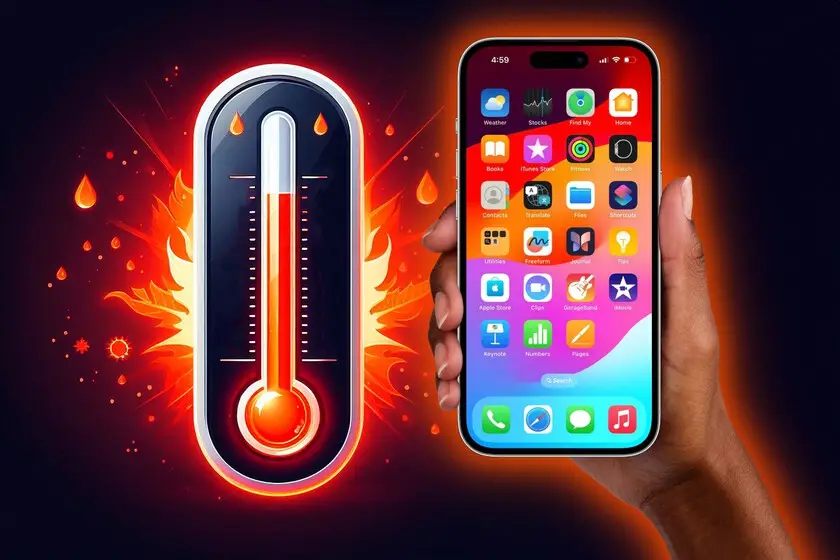
If you've ever felt your smartphone getting uncomfortably hot during a long gaming session or while charging, you're not alone. Overheating problems on smartphones are a common frustration that can slow down performance, drain the battery faster, and even shorten your device's lifespan. The good news is that most cases stem from everyday habits or simple software glitches, and you can tackle them with a few straightforward steps. In this guide, we'll break down the reasons behind smartphone overheating, spot the warning signs, and share practical fixes to keep your phone running cool and efficient.
Phones generate heat naturally as they process tasks, but when that heat builds up too much, it signals something's off. Knowing the root causes helps you address overheating problems on smartphones before they worsen.
Running demanding apps like video editors, GPS navigation, or high-graphics games pushes your processor to its limits. These tasks make the CPU and GPU work overtime, producing excess heat. If you're streaming 4K videos or multitasking with several apps open, expect your phone to warm up noticeably.
Direct sunlight, hot car dashboards, or stuffy pockets can trap heat around your device. Phones aren't built to handle extreme temperatures—most perform best between 32°F and 95°F. Leaving it in a hot environment amplifies internal heat from normal use.
Using your phone while charging is a big culprit. The battery generates heat during charging, and adding processor strain from calls or apps doubles the effect. Fast chargers can intensify this if they're not the official ones designed for your model.
Outdated software, buggy apps, or too many background processes can cause inefficient power use, leading to unnecessary heat. Malware or poorly optimized apps sneakily run in the background, spiking temperatures without you noticing.
Though less common, a degraded battery, dust-clogged vents, or faulty components can trap heat inside. Over time, batteries lose efficiency and generate more warmth during cycles.
Don't wait for your phone to shut down randomly. Early signs include a warm-to-hot casing (especially around the camera or battery area), sudden performance lags, apps crashing, or the battery icon showing rapid drain. If your screen dims automatically or notifications warn of high temperatures, act fast to avoid long-term damage like warped internals or reduced battery capacity.
When your phone starts heating up, these immediate steps can cool it down quickly. Follow them in order for the best results.
These steps often resolve minor smartphone overheating in under 30 minutes. If the problem persists, dig deeper.
For ongoing issues, a systematic approach pinpoints the problem. Start with software tweaks before considering hardware.
Manufacturers release updates to fix heat-related bugs. Go to Settings > Software Update on Android or Settings > General > Software Update on iOS. Also, update apps via Google Play or App Store—outdated versions often run inefficiently.
Enable battery saver mode to limit background activity. On Android, check Settings > Battery > Battery Usage to see heat-hungry apps. For iPhones, Low Power Mode helps similarly.
A full storage drive makes your phone work harder. Delete unnecessary files, offload photos to the cloud, and clear app caches via Settings > Storage.
Here's a handy troubleshooting table to match symptoms with solutions:
| Symptom | Possible Cause | Quick Solution |
|---|---|---|
| Overheats during gaming | High CPU usage | Lower graphics settings; use game mode |
| Hot while charging | Fast charging + usage | Charge without using; try slower charger |
| Sudden heat spikes | Background apps/malware | Force stop apps; run antivirus scan |
| Consistent warmth in sun | Environmental heat | Keep in shade; remove case outdoors |
| Overheats even idle | Software bug or hardware | Restart; factory reset if needed |
If nothing else works, back up your data and perform a factory reset. This wipes software glitches but won't fix hardware faults.
"I ignored my phone's overheating for weeks during summer hikes, thinking it was just the heat. One day, it shut down mid-call and never charged properly again. Turns out, the battery had swelled from repeated thermal stress—cost me $200 to replace. Lesson learned: cool it down early!"
— Alex T., smartphone user sharing on a tech forum
Sometimes, quick fixes aren't enough. Dive into these for stubborn cases.
Install reputable antivirus apps like Malwarebytes or Avast. Scan regularly, and uninstall suspicious apps. Review permissions—apps that don't need location or camera access shouldn't have them.
Counterfeit chargers or cables can cause erratic power delivery, leading to heat. Stick to official or MFi-certified ones. If your case is thick rubber, switch to a breathable silicone or mesh alternative.
On iPhones, Settings > Battery > Battery Health shows capacity. Android varies by maker—Samsung has Device Care, for example. If below 80%, consider replacement at an authorized service center.
Phone cooling pads or fans exist for gamers, but they're niche. A simple metal stand for better airflow often suffices without bulk.
Prevention beats cure. Adopt these habits to keep overheating problems on smartphones at bay.
Following this smartphone overheating prevention checklist can extend your device's life by years. Track your phone's temperature with built-in tools or apps like CPU-Z for Android.
If your phone overheats despite all fixes, or shows swelling, unusual noises, or won't cool even idle, it's time for pros. Visit an authorized repair shop—they can diagnose hardware like faulty sensors or thermal paste issues. Don't risk DIY internals; warranties often cover heat damage if not user-induced.
Fixing overheating problems on smartphones starts with understanding causes like heavy apps, bad charging habits, and environments, then applying targeted solutions. From quick cooldowns to prevention checklists, these steps protect performance and battery health. Your phone will thank you with smoother operation and longer life. Next time it warms up, you'll know exactly what to do—stay cool out there!
Published: Saturday, March 28, 2026 Viewed 9 times.
tepte.com: Your Questions and Answers Resource with a Wealth of General Knowledge
Are you seeking a one-stop destination for comprehensive knowledge and answers to your burning questions? Look no further than tepte.com! Our platform is your go-to source for a wide range of information, all conveniently presented in an easily accessible question and answer format.
At tepte.com, we pride ourselves on being your reliable knowledge hub. Whether you're curious about technology, science, history, or any other subject under the sun, our extensive General Knowledge (GK) knowledge base has you covered. We've made it our mission to provide you with in-depth insights and facts on an array of topics. Read more
