
Tepte.com



Updating your Android phone keeps it running smoothly, secures your data, and unlocks new features. In 2026, with Android 17 rolling out alongside quarterly security patches, knowing how to update Android phones safely is essential. Whether you have a Pixel, Samsung Galaxy, or OnePlus device, this guide walks you through the process step by step. You'll learn how to avoid data loss and errors, ensuring a seamless experience.
Google and manufacturers like Samsung and Google have streamlined updates, but issues like interrupted downloads or insufficient storage can still trip you up. By following these instructions, you'll handle your Android OS update confidently, even if you're not tech-savvy.
Staying current isn't just about the latest bells and whistles. Security vulnerabilities get patched regularly—think of the 2025 exploits that affected unpatched devices. Newer Android versions also optimize battery life and app performance, especially with AI-driven features becoming standard.
For instance, Android 17 introduces better privacy controls and faster processing for everyday tasks. If your phone is lagging or apps crash, an update could fix it. Manufacturers promise up to seven years of support on flagships, so most devices from 2020 onward qualify.
Preparation is key to a trouble-free Android update. Rushing in without backups risks losing photos, contacts, or apps. Here's how to get ready.
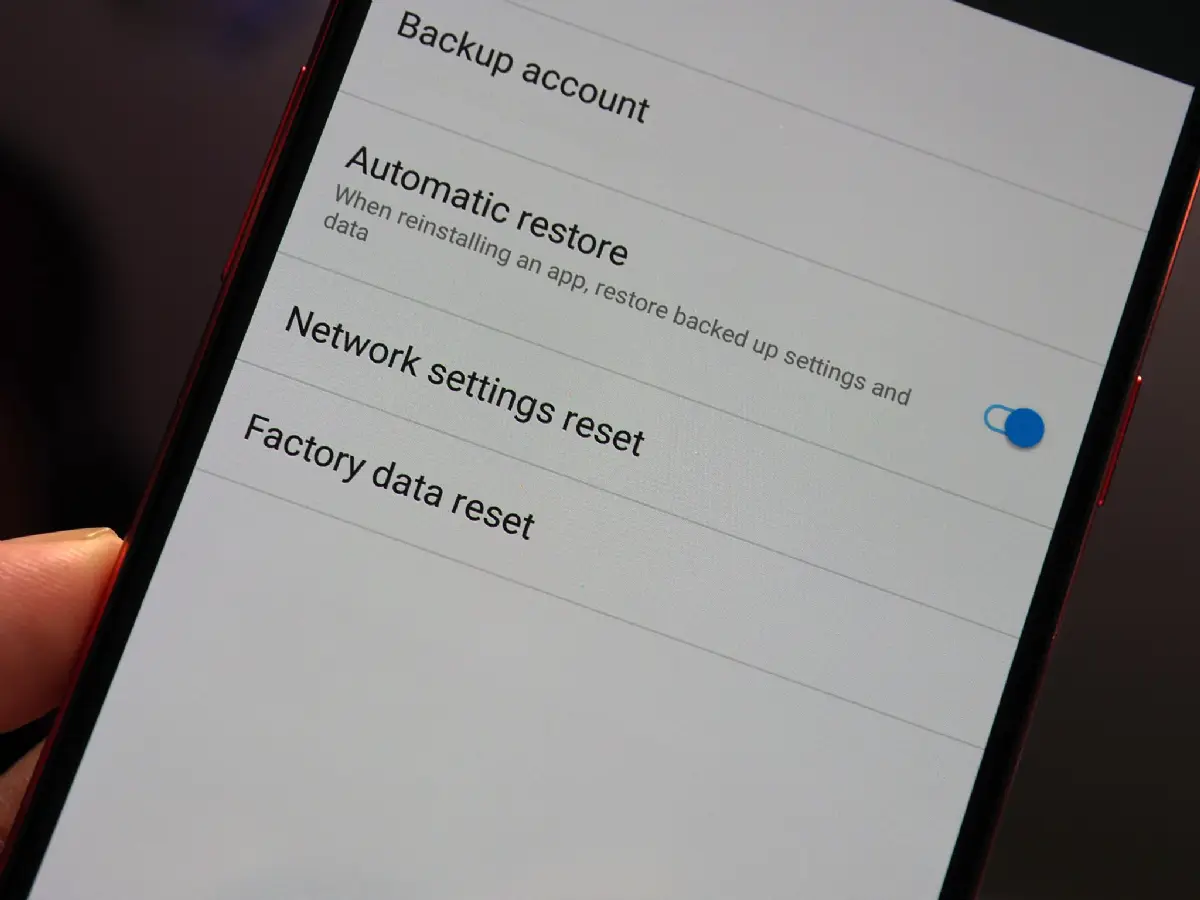
These steps minimize risks. Pro tip: Test your backup by restoring a file to confirm it works.
Not every Android phone gets the full OS upgrade. In 2026, devices like the Pixel 9 series, Galaxy S24, and newer Motorola Edge models lead the pack. Head to Settings > About phone > Android version to see your current build.
Visit your manufacturer's site—Samsung's Members app or Google's Pixel support page—for eligibility lists. If you're on Android 16, the jump to 17 should be straightforward for supported hardware.
| Manufacturer | Supported Models (2026) | Expected Update Timeline |
|---|---|---|
| Google Pixel | Pixel 8 and newer | Immediate OTA |
| Samsung | Galaxy S23+, Fold5, A55 | Staggered, 1-2 months |
| OnePlus | 12, Nord 4 | OxygenOS 15 to 16 |
| Motorola | Edge 50 Pro, Razr 2025 | Quarterly patches |
This table highlights popular lines. Always verify on official sites, as carrier-locked versions may lag.
The easiest way is over-the-air (OTA). It's designed for safety and handles most updates without fuss.
Downloads can take 30 minutes to hours, depending on file size (around 3-5 GB). Do this overnight for convenience.
Sometimes OTA glitches due to server issues or regional delays. Here's how to update manually without bricking your device.
For Google Pixels: Download factory images from Google's developer site. Use ADB sideload in recovery mode—detailed instructions are there, but stick to stock firmware.
Samsung users: Smart Switch on PC downloads official firmware. Enable OEM unlocking first in developer options (tap Build number seven times in About phone).
Avoid third-party tools; they often introduce malware. Always verify checksums for files.
"I ignored the backup step once during a rushed update on my Galaxy S23. Halfway through, my battery died, and I lost weeks of unsynced photos. Lesson learned: preparation saves heartache." — Tech enthusiast sharing on Reddit, 2025
Errors pop up, but most are fixable. Here's a practical list:
If stuck, forums like XDA Developers have device-specific fixes, but prioritize official support.
Once updated, monitor for a day. Battery might drain faster initially as the system optimizes. Recalibrate by charging to 100% overnight.
Update all apps via Play Store, as they adapt to new APIs. Enable auto-updates in Settings > Network & internet > Data usage for future ease.
If you're on a Pixel with beta access, join the program via the Android Beta page—but betas aren't for daily drivers. They help test features early.
For security-only patches, they arrive monthly. Enable them in the same update menu.
Custom ROMs like LineageOS offer longevity for older phones, but they void warranties and require technical know-how. Stick to stock for safety.
Google's Private Compute Core enhances on-device AI securely. Updates include fixes for zero-days, like the 2025 Bluetooth flaw. Always update promptly—delays expose you to risks.
Use Find My Device post-update to locate if issues arise. Two-factor authentication on your Google account adds protection.
Will updating delete my apps? No, but some might need reinstalling if incompatible—rare in 2026.
How often should I check? Weekly, or enable notifications.
Carrier phones: Any differences? They roll slower; unlock if possible for faster access.
What if my phone is rooted? Unroot first, or use Magisk modules cautiously.
Mastering how to update Android phones safely in 2026 empowers you to keep your device fresh without headaches. Follow the prep steps, OTA process, and troubleshooting, and you'll breeze through. Your phone thanks you with better speed, security, and features. Got questions? Drop a comment below—we're here to help.
Remember, consistency matters. Set a monthly reminder, back up religiously, and enjoy the ride with the latest Android OS.
Published: Monday, January 19, 2026 Viewed 16 times.
tepte.com: Your Questions and Answers Resource with a Wealth of General Knowledge
Are you seeking a one-stop destination for comprehensive knowledge and answers to your burning questions? Look no further than tepte.com! Our platform is your go-to source for a wide range of information, all conveniently presented in an easily accessible question and answer format.
At tepte.com, we pride ourselves on being your reliable knowledge hub. Whether you're curious about technology, science, history, or any other subject under the sun, our extensive General Knowledge (GK) knowledge base has you covered. We've made it our mission to provide you with in-depth insights and facts on an array of topics. Read more
