Jordan Bennett wrote about "desktop computer" (Wednesday, December 13, 2023)
Desktop Computer
Desktop Computer
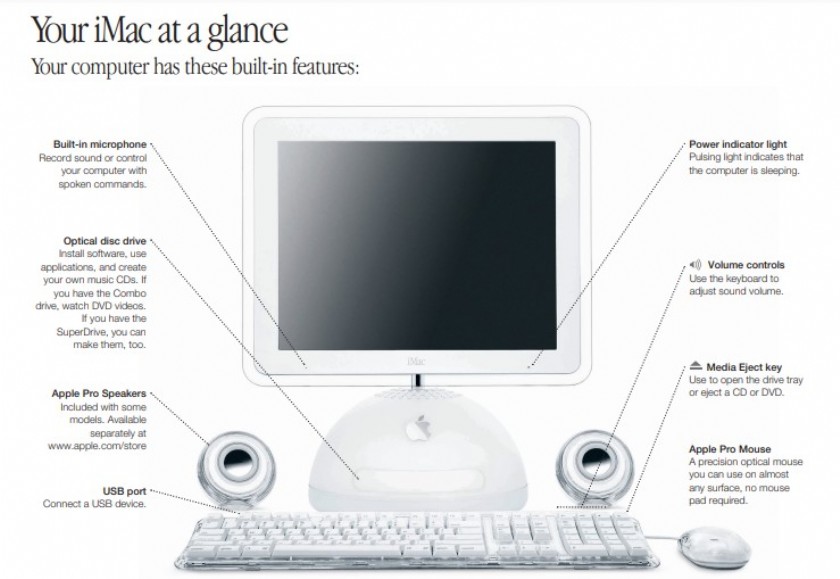
A desktop computer is a personal computer that is designed to be used on a desk or table and is not intended to be portable. It typically consists of a separate monitor, keyboard, mouse, and a system unit that houses the motherboard, processor, memory, storage, and other critical components.
Desktop computers offer a wide range of benefits for both personal and professional use.
Advantages of Desktop Computers
- Powerful Performance: Desktop computers are known for their high processing power and performance capabilities, allowing users to carry out complex tasks and run resource-intensive software with ease.
- Expandability: Unlike laptops and tablets, desktop computers can be easily upgraded and expanded. Users can add more RAM, upgrade the processor, install additional storage, or replace components as needed.
- Large Storage Capacity: Desktop computers usually come with larger storage capacities compared to portable devices. This makes them ideal for storing extensive multimedia files, such as videos, music collections, and large software applications.
- Better Ergonomics: With a separate monitor, keyboard, and mouse, desktop computers allow users to set up their workspace according to their comfort and ergonomic preferences. This can help reduce the risk of discomfort or injury during long hours of computer usage.
- Multiple Displays: Many desktop computers support multiple monitors, providing users with increased screen space for multitasking, gaming, or graphic design purposes.
- Connectivity Options: Desktop computers often have numerous ports and slots for connecting peripherals, such as printers, external hard drives, speakers, and other devices, making them versatile and adaptable.
Common Components of a Desktop Computer
A desktop computer has several essential components:
- Monitor: The display unit that shows visual information and allows users to interact with the computer interface.
- Keyboard: A set of keys used for typing and inputting commands or text into the computer.
- Mouse: A pointing device used to move the cursor and select objects on the computer screen.
- System Unit: The main component that houses the motherboard, processor, memory, storage, and other critical components.
- Central Processing Unit (CPU): The brain of the computer that executes instructions and performs calculations.
- Random Access Memory (RAM): The temporary storage area where the computer stores data and instructions to be processed.
- Hard Disk Drive (HDD) or Solid-State Drive (SSD): The primary storage device that stores the operating system, software applications, and user data.
- Peripherals: Additional devices such as printers, scanners, speakers, and webcams that can be connected to the computer.
Conclusion
Desktop computers are versatile and powerful machines suitable for various purposes, ranging from gaming and multimedia editing to office work and programming. Their expandability, performance, and flexibility make them a popular choice for many individuals and businesses in need of a reliable computing solution.


 361
361